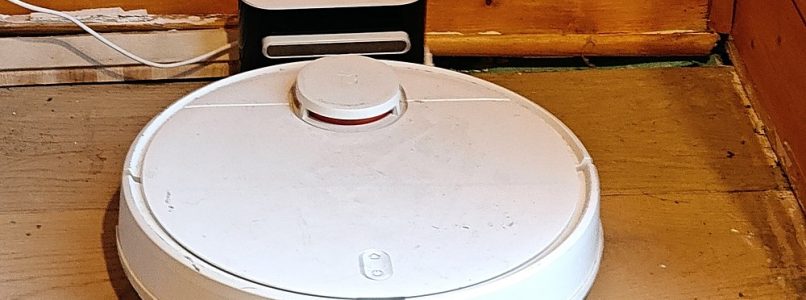
One Sunday, one robot vacuum. At the start it spoke Mandarin and could not find its dock. At the end it speaks French, and it finds its dock.
It is a Viomi / Xiaomi « Mi Robot Vacuum-Mop P », in my antre. My home automation (Jeedom) controls it locally. But Xiaomi stopped supporting it years ago, the phone app crawls, and the voice talks in a language I do not read. So I asked my AI agents: find why it does not dock, remove the cloud, give it a French voice.
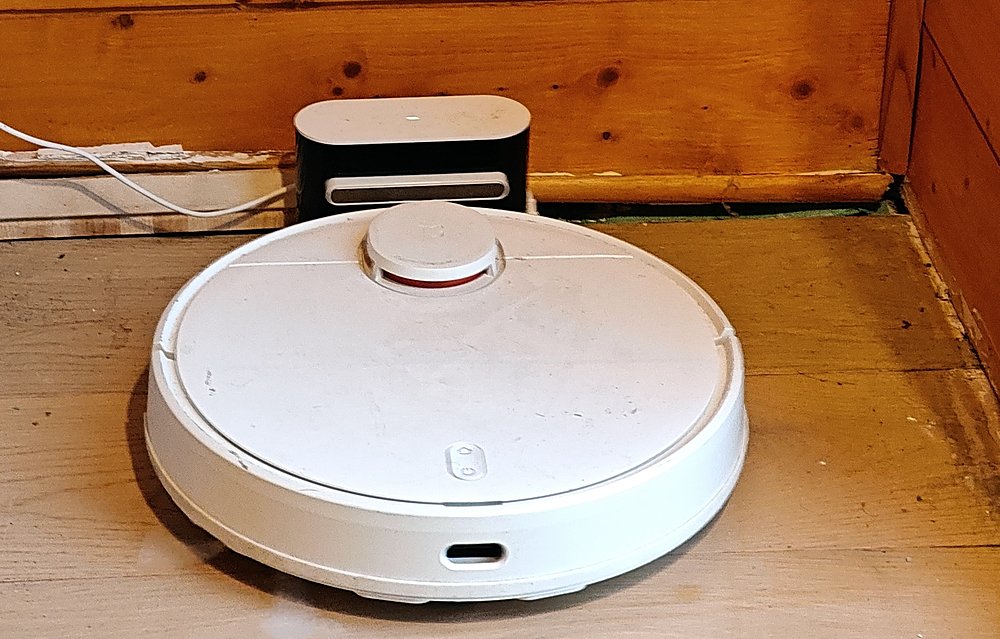
The first guess of the agent was « dirty charge contacts ». Wrong: when I put the robot on the dock by hand, it charges fine. Parle à ma base. (It docks now. I cannot say which step fixed it: the robot was restarted many times that day.)
Under the battery
To change anything, I needed a shell inside the robot. The public guide (rumpeltux/viomi-rooting) uses a micro-USB port hidden under the battery. There it is:
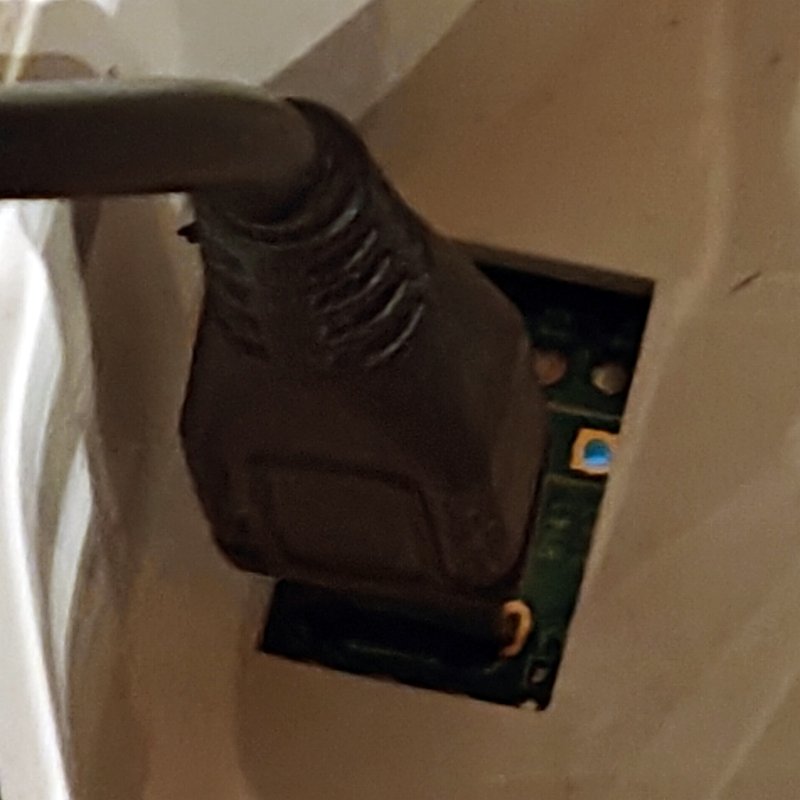
At every boot, the robot appears on USB twice: first in a recovery mode (about 3 seconds), then as an Android debug bridge, adb, for less than half a second. Then its app starts and closes the door. The guide says: be fast, try about ten times.
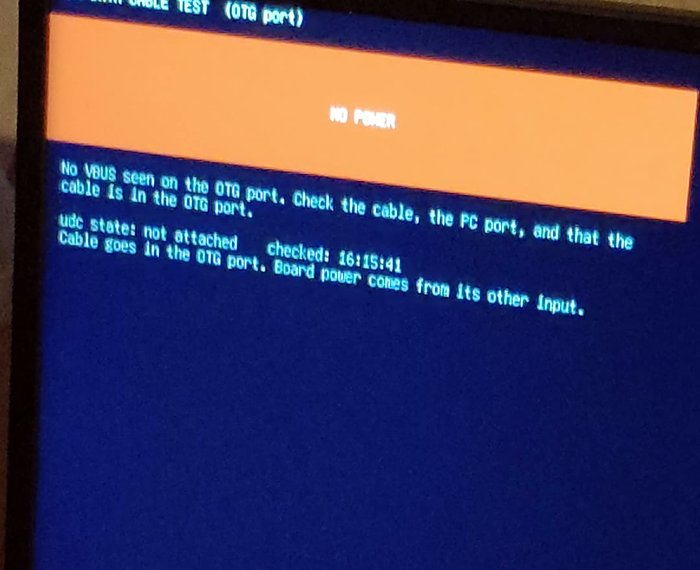
I was not fast. Some of my micro-USB cables carry no data, so I tested them. The first answer of the test screen: NO POWER.
Then the first agent decided that this robot cannot be rooted without soldering. I did not believe it, and I said so, in capital letters. A second agent read the whole session and said the opposite: the 0.4 second window is normal, you just loop and replug.
So the agent wrote a watcher, and I unplugged, replugged and pressed POWER for 3 seconds, again and again, reading the LED colours out loud.
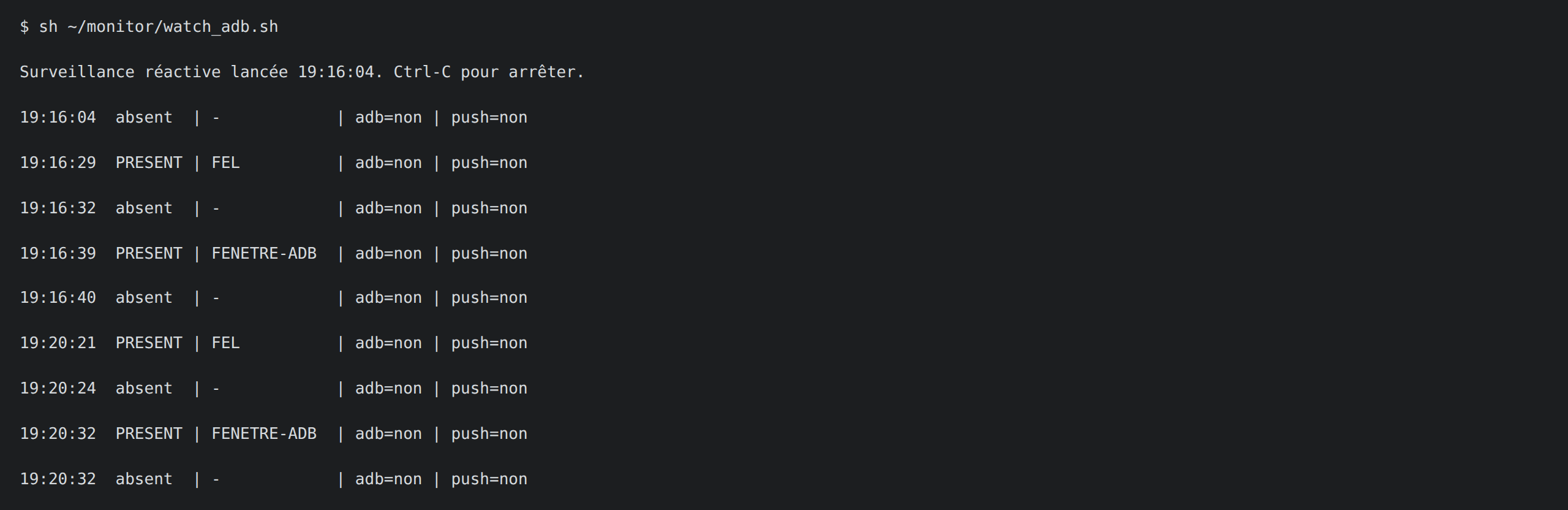
It worked, by luck first: a file went through in a 0.47 second window. Then the agent made it reliable, in four steps:
- A loop with
adb wait-for-device, which reacts faster than polling, and a push that runs in the same instant. (adbalso has to run as root on my PC. As a normal user, the answer is only « Access denied ».) - In one window, the loop deletes one link:
/etc/rc.d/S90robotManager, the one that starts the robot app at boot. With no app to close the door,adbstays open at the next boot (8 seconds, then more). Without the app the robot does nothing else, so this is temporary. - With
adbopen, the agent installs an SSH server, dropbear 2015.71-2 (the package and its checksum come from the guide), puts my server’s public key inauthorized_keys, and turns passwords off. Dropbear starts at every boot by itself: no more USB game. - It puts the link back, so the robot app starts again, and from then on I use SSH only.
adb shell rm /etc/rc.d/S90robotManager        # in the window, then reboot
adb push dropbear ...                         # key only, passwords off
adb shell ln -s ../init.d/robotManager /etc/rc.d/S90robotManager
ssh -o PubkeyAcceptedAlgorithms=+ssh-rsa -o HostKeyAlgorithms=+ssh-rsa root@robot
The old dropbear only speaks RSA, hence the two options. A sed command turned option into optioff in its config (the pattern « on » was too greedy), and an interrupted key generation left an empty host key, so the server refused to start. Both easy to fix, once found.
While adb was open, we saved the whole flash memory (9 partitions, about 209 MB) to my server, with SHA-256 hashes. That is the way back if anything breaks.
Un coup de balai
Then Valetudo: a free, open source app that runs next to the original firmware and takes the place of the cloud. Two changes make the robot ignore Xiaomi: ten lines in /etc/hosts, and a patch of the cloud address inside miio_client. Valetudo plays the cloud instead, and Jeedom still controls the robot locally. I turned on a password too: its log was readable by anyone on my network, token included.
Not everything went well: with the USB cable plugged at boot the robot loops forever, and when I started Valetudo by hand the robot rebooted or crashed. At boot, it starts alone without any problem. I do not know why.
Tout ouïe
Now the voice. The robot says about 144 different sentences (« battery low », « cleaning started »…). This model has no voice pack to download.
So the agent took the robot’s main application, a 5 MB ARM program called RobotApp that runs everything (cleaning, map, sounds), out of the flash backup. It opened it in Ghidra, a free tool that turns a binary back into readable code. The program contains a table of 144 file names (one per event, like « start of a point cleaning »), a second table with the sound folders, and a function playAudio that glues them together and starts a small player:
system("tinyplayer /usr/share/audio/mandarin/10sound_point_clean_start.mp3")The plan: French MP3 files, same names, same folder. The system area is an overlay, so the originals stay underneath, and deleting my copies brings them back.
The agent wrote the 144 sentences from the file names, in a small CSV: file name, French sentence.
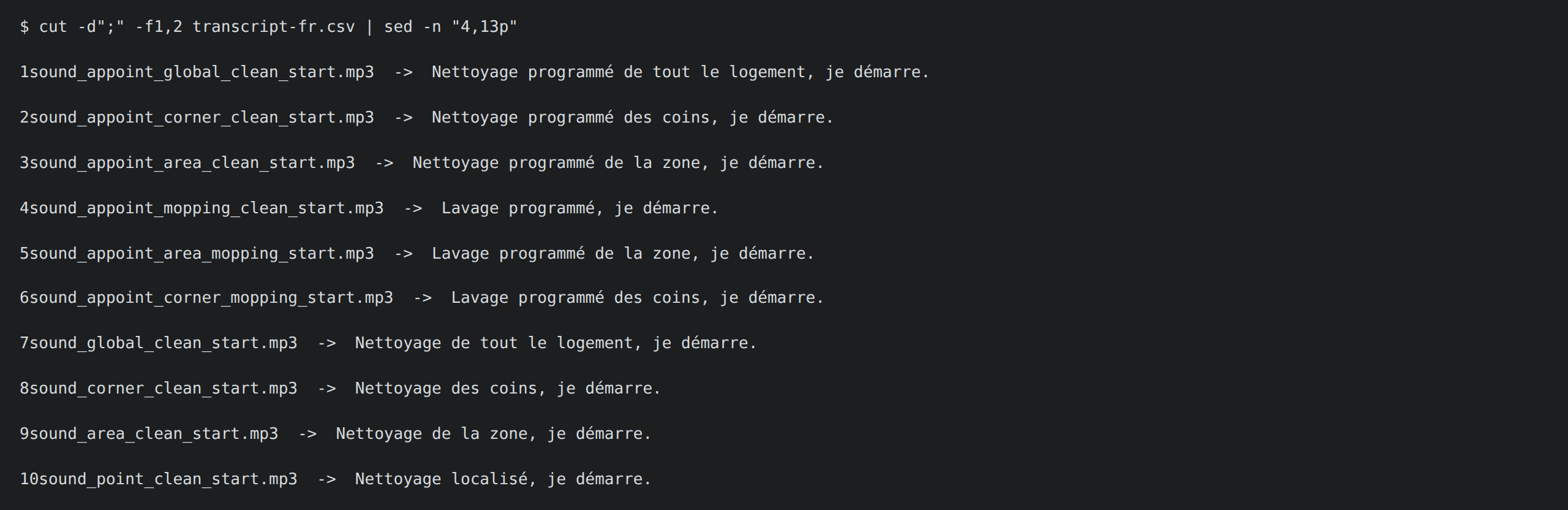
Then a script turns the CSV into audio, in two steps:
- Speak. Each sentence goes through a text-to-speech model, and gives one WAV file.
- Convert.
ffmpegencodes each WAV like the originals: MP3, 22,050 Hz, mono, 160 kbps. The agent first measured the original messages, and set the loudness of mine to their median level, so that my voice is not louder or quieter than the robot’s own beeps. Each file gets the exact name that the firmware looks for.
Two voice models were tried. The first one is the one I use for my audiobook project: a Qwen speech model with a voice called « Serena », driven by a written instruction. It runs on my desktop GPU, about 5 seconds per sentence, so 12 minutes for the 144. The result had a foreign accent. The second one is Piper, a small open source speech engine that runs on a plain CPU, with the voice fr_FR-siwis-medium (a 63 MB file, trained on a French speech database).
Why not just pick one? The agent cannot hear, and I do not trust a description of an accent. So it made one short sentence (« Nettoyage localisé, je démarre. ») in three versions: A, the Qwen voice as it was, B, Qwen with a stricter instruction (a native speaker from France, standard pronunciation, no foreign accent), and C, Piper. All three at the same loudness, because a louder file always sounds better. It was not a blind test: the file names said which engine was which. I listened, and the third one was much better. Piper also needed no loudness boost, while the Qwen files had to be amplified, which adds hiss on short sentences. So the 144 were made again with Piper.
First a test with a single file, the factory test message: « Prêt pour le test. » I heard it from the robot. Then the 144 files, with their hashes checked. And it works: the robot now speaks French by itself. Ten messages had no file before: the robot was probably silent at those moments, and now it speaks.
How AI was used
AI agents (Claude Code) did most of the work: read the guides, ran the USB watchers, installed SSH and Valetudo, read the voice code in Ghidra, wrote the French script, generated the audio, wrote the notes in my home repo. They were wrong about the dirty contacts, about soldering, and once pushed a file to my phone instead of the robot.
I opened the robot, plugged and unplugged more times than I can count, chose the voice by ear, and said yes before each write on the robot.
Note: I don’t have much time for the blog these days, so this post was written with the help of an AI, from my own notes, then read and corrected by me. Better to share the content this way than not at all.