UPDATE 2026-10-19: Wake-on-LAN now works on this NAS, see ReNASsance UPDATE: it wakes up.
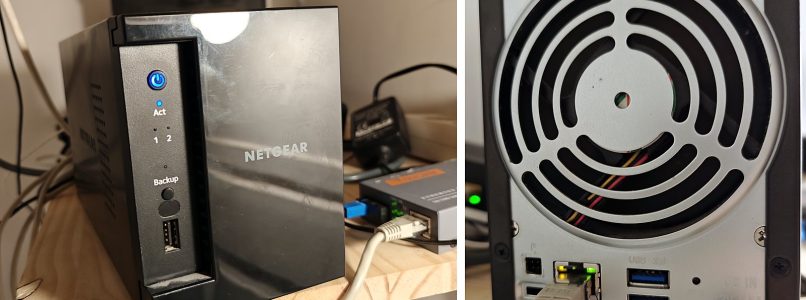
Boot, fan, click. Boot, fan, click. One evening my ReadyNAS RN102 started rebooting in a loop, with all the family photos inside.
The cause was a dead disk. But looking at the box, I found something worse: its software was dead too. So it now runs Debian 12. It also serves files twice as fast as before, and its disks finally sleep. It took a few detours.
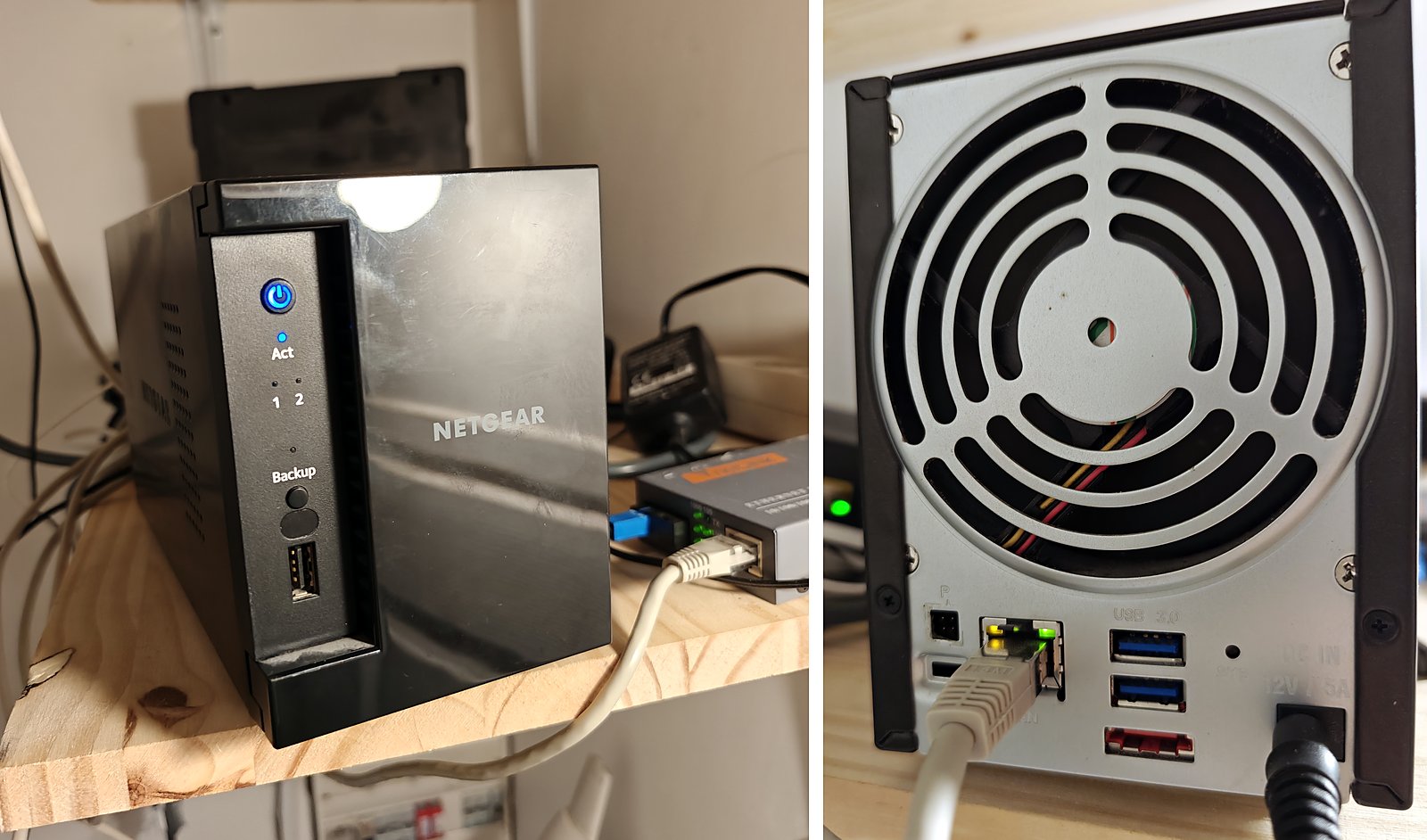
The hardware
- Marvell Armada 370: one ARMv7 core at 1.2 GHz, no NEON
- 512 MB RAM, 128 MB NAND, a U-Boot from 2011
- 2 x 3 TB in RAID1, btrfs on top
![Terminal: /proc/cpuinfo showing ARMv7, CPU part 0x581, no NEON; /proc/mdstat showing the RAID1 array [UU]](https://www.fabidouille.com/wp-content/uploads/2026/09/patient.png)
The last Netgear firmware is Debian 8 with a 4.4 kernel, and Netgear does not make NAS anymore. No more updates.
The loop was a disk
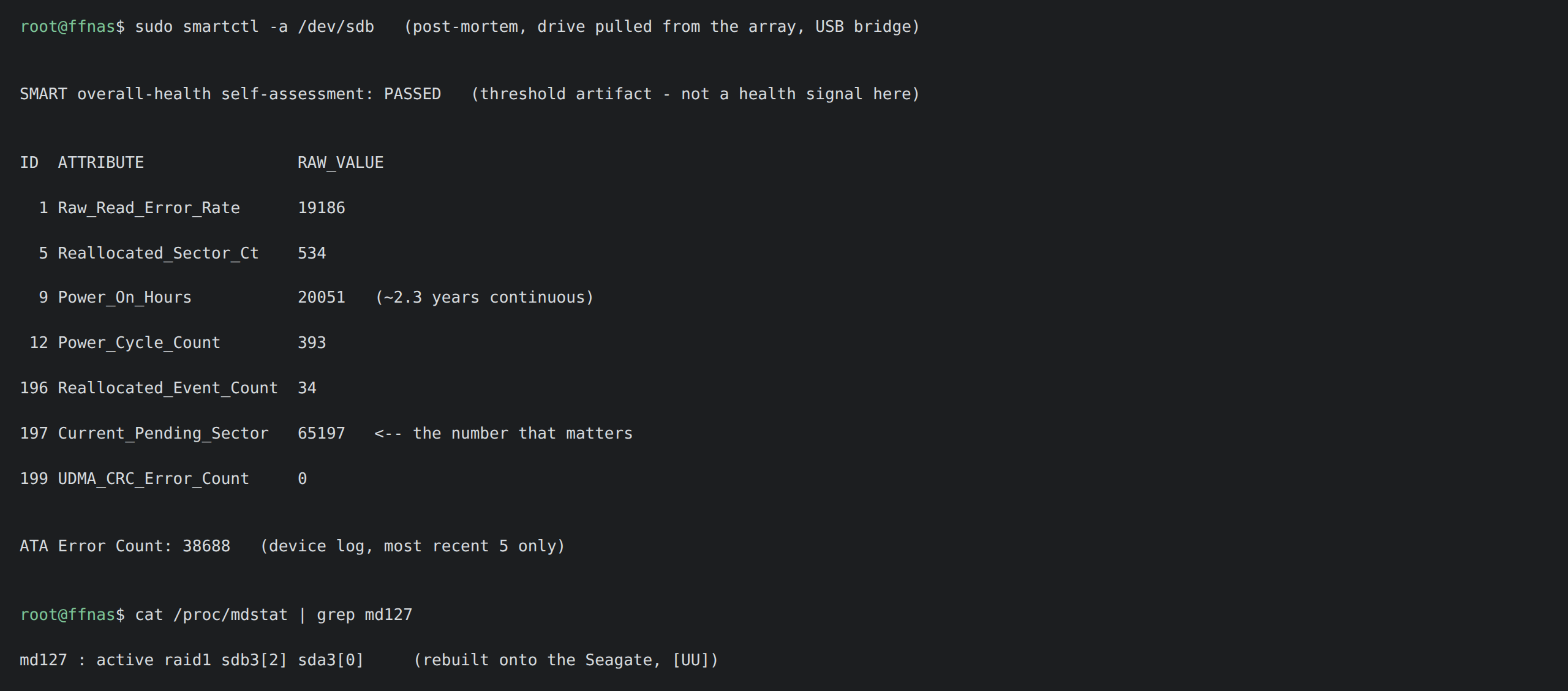
One WD Red had 65,000 pending sectors. I replaced it with a new old stock Seagate Constellation ES.3, a CMR disk (SMR disks and RAID rebuilds do not go well together), for less than 90 EUR. The rebuild went fine.
Debian, without breaking anything
One rule: every step can be undone.
1. Boot Debian from a USB stick. NAND and disks untouched. 2. Mount the RAID with mdadm --assemble. Never --create. 3. Copy the whole NAND (mtd0 to mtd4) to another machine. 4. Only then, put the kernel in NAND. No more USB stick.
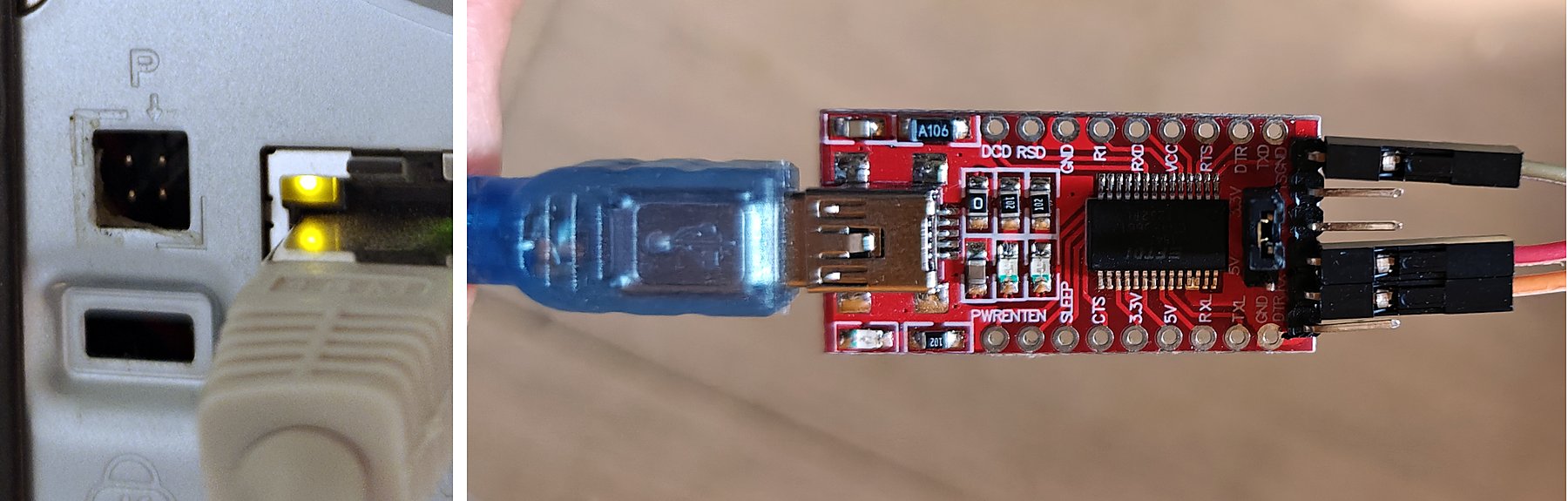
You need the serial console: a 3.3 V USB-UART adapter on the 4-pin header behind the sticker at the back. TX, RX, GND. Never 5 V.
Full recipe: github.com/fabien0008/readynas-debian-migration
Small problems
- A reboot every 4 minutes: the hardware watchdog (
orion_wdt, 229 s timeout, no « magic close »), and nothing feeding it. A script now writes to/dev/watchdogevery 20 s. - The clock loses 8.35 % per day. Too much for NTP alone. Fixed with
adjtimex, tick 10000 → 10910, and a script that sets it again at each boot. - Wake-on-LAN after power-off: still not working.
UPDATE 2026-10-19: Wake-on-LAN works now. It was one register of the network chip, not the hardware: ReNASsance UPDATE: it wakes up.
Disks that would not sleep
Three causes, each one hiding the next one:
1. smartd writing its state on the disks → moved to RAM. 2. Samba’s nmbd, same thing → moved to RAM. 3. My own metrics script, calling smartctl every minute. This does not show in /proc/diskstats! So the problem was me. Now every 30 minutes, and it skips sleeping disks.
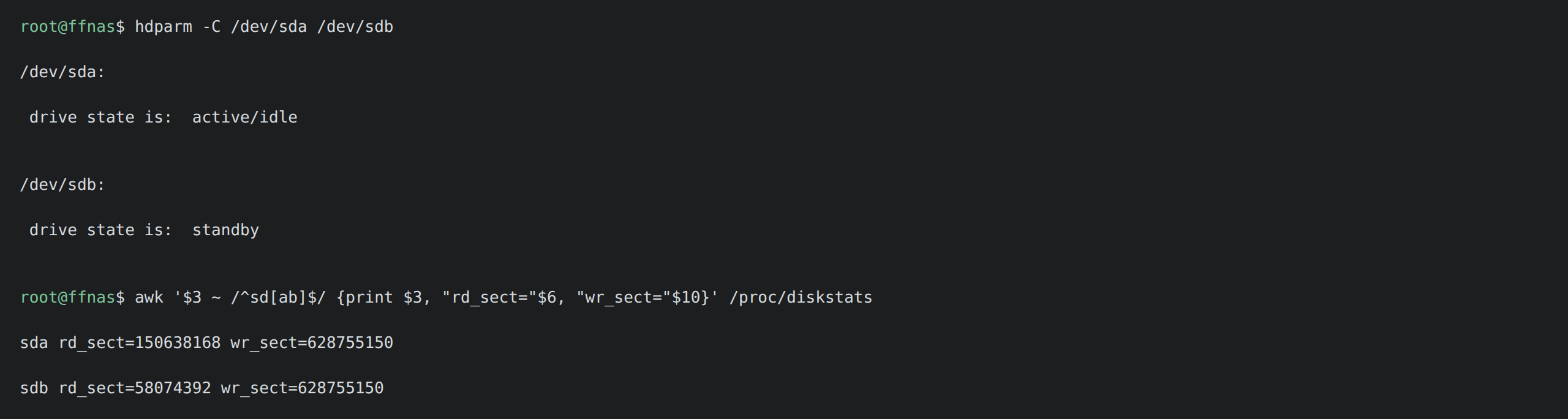
Then Grafana said: disks awake 62 % of the time. The cause was the scrub cron line:
0 4 1-7 * 0« First Sunday of the month »? Raté. Days 1 to 7 OR every Sunday: a 6.5 hour scrub, 11 times a month. After the fix: 62 % → 27 %.
Two more jobs were waking the disks for nothing: a weekly SMART long test (461 minutes on these drives) and e2scrub_all every day, on a box with no ext4 to scrub. Each useless wake-up costs a full 20-minute spin.
The rest comes from the OS itself, which is on the same disks: any SSH login or cron job reads / and wakes both disks. Once, they did not sleep for 53 hours. Next step: move the OS to its own small disk.
Slow, then fast
Reads over Samba: 21 MB/s, on a gigabit network.
First, eBPF: impossible on this kernel (no kprobes, no BTF). The hardware counters are also wrong: instructions gave 2.78 million for a 100 MB dd. What works is perf with the software clock:
perf record -a -g -e cpu-clock -F 199 -- sleep 40The box spends 99.5 % of its time in the kernel during a transfer. So kernel stacks are enough. First, the speed at each layer (caches dropped each time):
- one raw disk: 92 MB/s
- the RAID1 device: 128 MB/s
- a file through btrfs: 49 MB/s
- the same file through Samba: 21 to 24 MB/s
The RAID gives 128, btrfs keeps only 49. The profile shows why:
54.93%  [k] crc32c
        ---btrfs_csum_update
           btrfs_calculate_block_csum_pages
           btrfs_data_csum_ok
           btrfs_check_read_bio
btrfs checks the CRC32C of every data block it reads, in software, on one 1.2 GHz core: about 13.5 cycles per byte. This CPU has no CRC32 instruction (that came with ARMv8) and no NEON. And the kernel’s crc32c function is only 60 bytes of code: the simple loop that reads one byte at a time from a 256-entry table.
Samba: one line
In the same profile, 7 % of the CPU was arm_copy_from_user under tcp_sendmsg: smbd copying file data into the socket. use sendfile = yes is supposed to remove this copy, and it was already in my smb.conf. But since Samba 4.6, aio read size is 1 by default, and Samba never uses sendfile when AIO is on:
aio read size = 0Samba: 21-24 → 31-34 MB/s. Two measures each side, because one measure proves nothing.
A faster CRC, same checksums
I measured the options on the NAS itself, 120 MB from the page cache:
- CRC32C slice-by-8: 144.7 MB/s
- CRC32C slice-by-4: 133.4 MB/s
- CRC32C one byte at a time (the kernel): 93.5 MB/s
- xxhash64: 69.6 MB/s
- sha256: 30.5 MB/s
- blake2b: 23.2 MB/s
Slice-by-8 reads 8 bytes per loop with 8 tables. Same polynomial, same result, so nothing to reformat. I hoped for 3 to 4 times faster. Measured: 1.55. (Slice-by-16 is 3 % slower: too many tables for the 32 KB L1 cache.)
xxhash, my first idea, is slower than the simplest CRC on a 32-bit CPU. Lucky that I did not reformat 2 TB for it.
The SoC has a crypto engine (CESA), but it cannot do CRC, and its SHA-256 is 2.8 times slower than the software CRC on 4 KB blocks.
A wrong CRC makes the whole volume look corrupted, so I tested before building: the standard check value CRC32C("123456789") = 0xE3069283, then 32,789 comparisons with the reference code, and a self-test that refuses to load if one result differs.
Loading it as a module changed nothing: in this kernel, btrfs calls crc32c() directly. So: a new kernel, in NAND. In the same build, init_on_alloc off: 12 % of the CPU was used to fill new pages with zeros, pages that the disk overwrites just after.
The kernel that never had modules
Building modules, I found that no module could load on this box since the migration:
loop: disagrees about version of symbol path_putThe kernel in NAND and /lib/modules came from two different builds: my first make modules had been stopped. Everything important was built into the kernel, so nobody noticed. 2,400 modules later, modprobe works.
The boot loop that was not
After the flash: ports closed, and the IP address changing every 15 to 25 seconds. I was sure it was a boot loop. With the serial cable, the box was simply booting: slowly (first boot with modules), and a script restarts the network during boot. Closed ports do not tell you if a box is dead or still booting. Only the serial console does.
NFS
The NFS server max_block_size was 64 KB. Raised to 1 MB. (It refuses the change while nfsd threads exist: set them to 0, write the value, restart.)
echo 0 > /proc/fs/nfsd/threads
echo 1048576 > /proc/fs/nfsd/max_block_size
Result:
- Samba: 21 → 41 MB/s
- NFS: 43 → 65 MB/s
- btrfs read on the box: 49 → 60-66 MB/s
The fastest kernel did 71.8 MB/s, but it was 6,473,835 bytes and the NAND partition holds 6,291,456. The one I flashed has 32,813 bytes free.
90 MB/s is possible: a small btrfs patch lets NFS read directly from disk, without the server cache (81.3 MB/s on 4 GiB). But then the disks wake up more often. I chose sleep. Grasse matinée for everyone.
How AI was used
Most of the hands-on work was done with AI coding agents (Claude Code) on my home server, with SSH to the NAS: perf profiling, the slice-by-8 patch and its tests, kernel builds, the NFS tests, the Grafana history. They are fast and tireless, but not always right: the « 2.7 times faster xxhash » came from an agent comparing two different programs, and the « boot loop » was an agent reading too much into closed ports. My part: ask the questions (in French: « why was it faster with the original firmware? »), refuse answers that did not convince me, and choose: disk sleep over 90 MB/s.
Note: I don’t have much time for the blog these days, so this post was written with the help of an AI, from my own notes, then read and corrected by me. Better to share the content this way than not at all.