The wireless Android Auto dongle of my 2015 Mazda 2 died. Instead of buying a new one, I replaced it with a Raspberry Pi Zero W running aa-proxy-rs, an open source project.
It does the same job as the dongle, with one big difference: the Pi sits in the middle of the conversation between the phone and the car, and it can read and change everything they say to each other. Remove the tap limits, change the screen size, fake data… That much control in a board this small is a little scary. It even convinced Waze that I was always driving at 0 km/h.
And because it is in the middle, the car also became a source of data: I now log my trips and the Android Auto crashes, in a car with no internet.
The setup
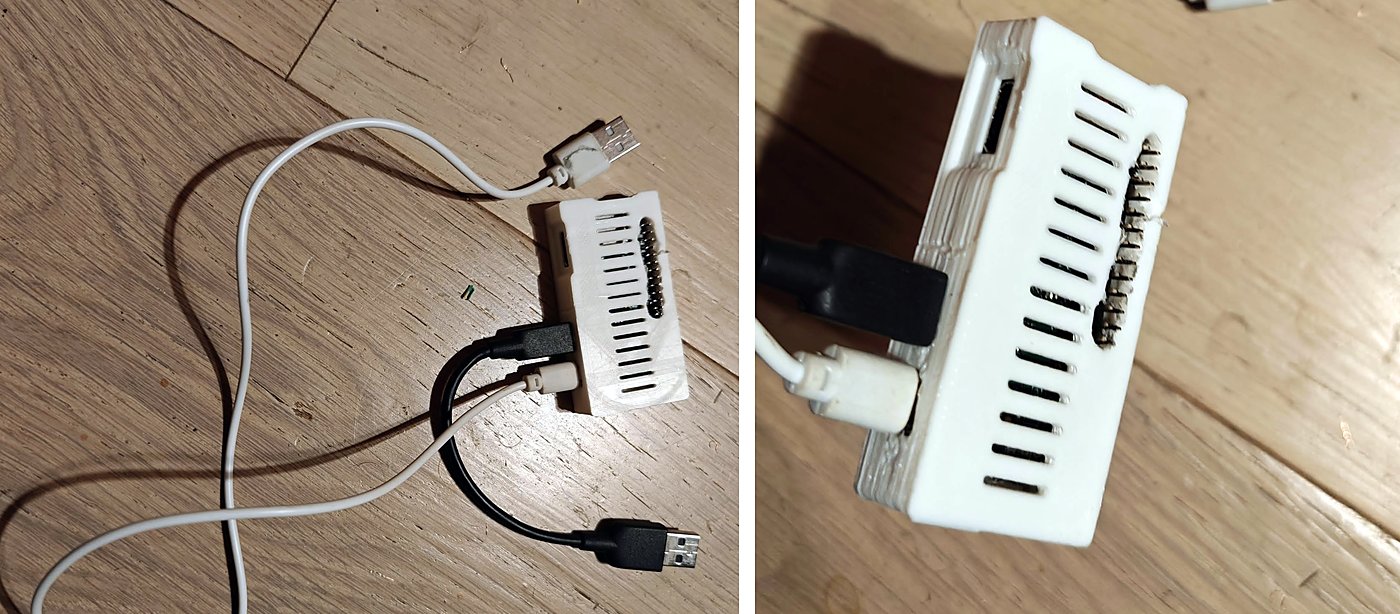
- Raspberry Pi Zero W v1.1: BCM2835, one ARM11 core at 1 GHz, 512 MB RAM, 2.4 GHz Wi-Fi, Bluetooth 4.2
- aa-proxy-rs, an open source Android Auto proxy written in Rust (image
rpi0w-sdcard.img.xz, v0.22.0 then v1.0.0) - the car: Mazda 2 (2015) with the Android Auto retrofit, Mazda Connect firmware 74.00.324
- the phone: a Realme GT 6
The phone talks to the Pi over Bluetooth and Wi-Fi. The Pi talks to the car over USB, in gadget mode: for the car, the Pi is the phone. For the phone, the Pi is the car. This is a man-in-the-middle (MITM) setup, with its own TLS certificates.
One trap before anything else: the Pi Zero W has two micro-USB ports. The one on the edge, marked « USB », is the data port, it goes to the car. « PWR » is power only. And many cheap USB cables have no data wires at all.
Three problems before the first drive
1. The old microSD card. FAT errors in dmesg, so a full read test:
dd: error reading '/dev/sde': Input/output error
118456320 bytes (118 MB, 113 MiB) copied, 143,775 s, 824 kB/s
A hard I/O error after 118 MB of 7.3 GB. Dead card. New card.
2. A boot loop. The image uses two root partitions (A/B: mmcblk0p2 and mmcblk0p3, chosen by U-Boot). My first config changes went to only one of them, and /etc/shadow was replaced by a file with one single line (127 bytes instead of the 207 of the original). Fix: same config.toml on both partitions, and patch the one line in /etc/shadow instead of replacing the file. The Pi booted, the Wi-Fi access point came up, the web UI answered on http://10.0.0.1.
3. In the car: « Communication error 8 – Your car’s software didn’t pass Android Auto security checks ». This is Android Auto’s TLS error. In MITM mode, aa-proxy-rs shows its own certificates, and the source code says which one each side checks:
let prefix = match proxy_type {
    ProxyType::HeadUnit     => "md",   // TLS server: the phone connects to us -> md_cert.pem
    ProxyType::MobileDevice => "hu",   // TLS client: we connect to the car     -> hu_cert.pem
};
The phone checks md_cert.pem. The well-known community certificate I had expired in August 2022, and today’s Android Auto checks the date. The aa-proxy community shares valid ones. New certificate, no more error 8. And a date to watch: these certificates expire too.
Waze at 0 km/h
First real drives: Waze always said 0 km/h. I took the session logs from the Pi’s SD card and counted: 220 speed_e3 values out of 220 were exactly zero, while the latitude and longitude were moving. My car never drove so slowly.
The firmware? No: the setting was there 3 weeks before the firmware update. The phone? No. The cause was in the proxy itself, in mitm.rs. The video_in_motion option makes Android Auto believe the car is parked, so video works while driving. To do that, it sets to zero the speed, the bearing, the accelerometer, the gyroscope, the compass and the RPM. It fakes a parked car so well that Waze believes it too.
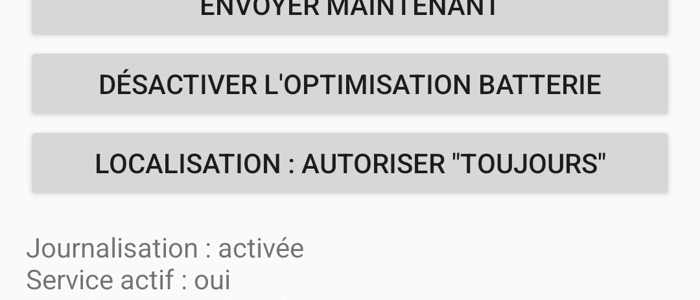
I did not even want video while driving. What I wanted was no tap restriction. But the same file showed a second trap: remove_tap_restriction also removes the speed sensor, unless collect_speed is on. And the companion app’s own help text says it clearly: collect_speed « by design disables remove_tap_restriction« . So it is one or the other: the speed in Waze, or the tap trick. I chose the speed. The fix, four lines of config, no new binary:
video_in_motion = false          # the cause: fakes a parked car
remove_tap_restriction = true    # still on, but see the next line
collect_speed = true             # keeps the speed; by design disables remove_tap_restriction
disable_driving_status = true    # keeps the "no driving restriction" part of video_in_motion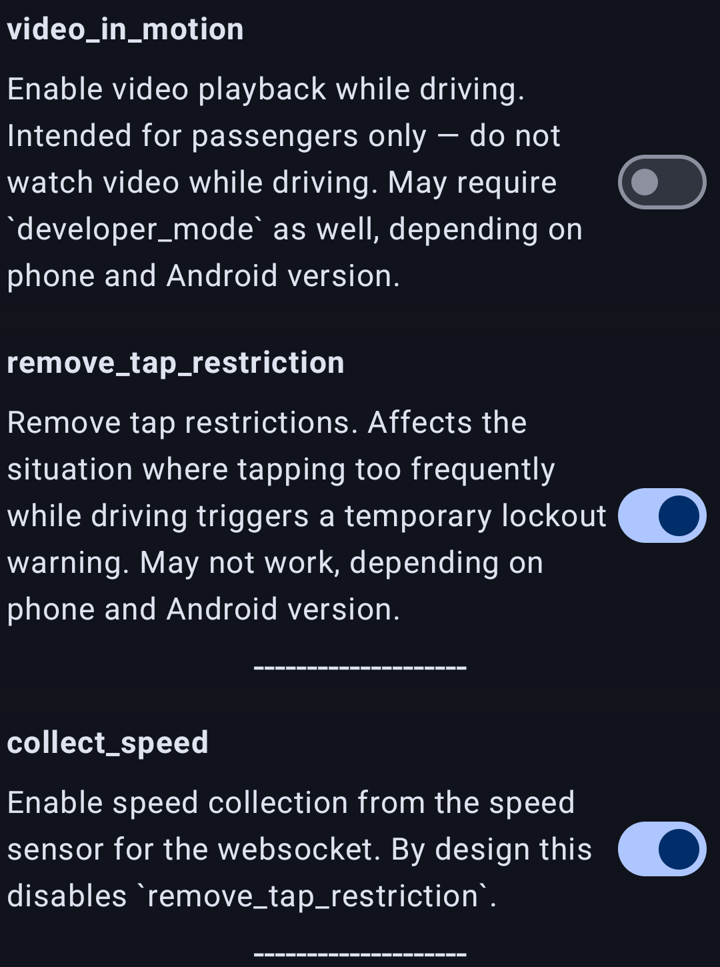
Waze knows my speed again. (aa-proxy-rs v1.0.0 also added level_video_in_motion = "low", which only fakes the gear lever, PARK, and keeps the speed.)
While the Pi was on my desk, I also changed the CPU governor from ondemand to performance, with a small init script so it stays after reboot. One ARM11 core has no margin.
Logging trips without internet
I wanted to log my trips. But while driving, the Pi is the Wi-Fi access point for the phone: it has no internet. So the phone does the work:
phone plugin (GPS, SQLite queue)
    --HTTPS + token--> my server: small API --> SQLite + VictoriaMetrics --> Grafana
home server, every 15 min: cuts the points into trips --> commits a trip log to git
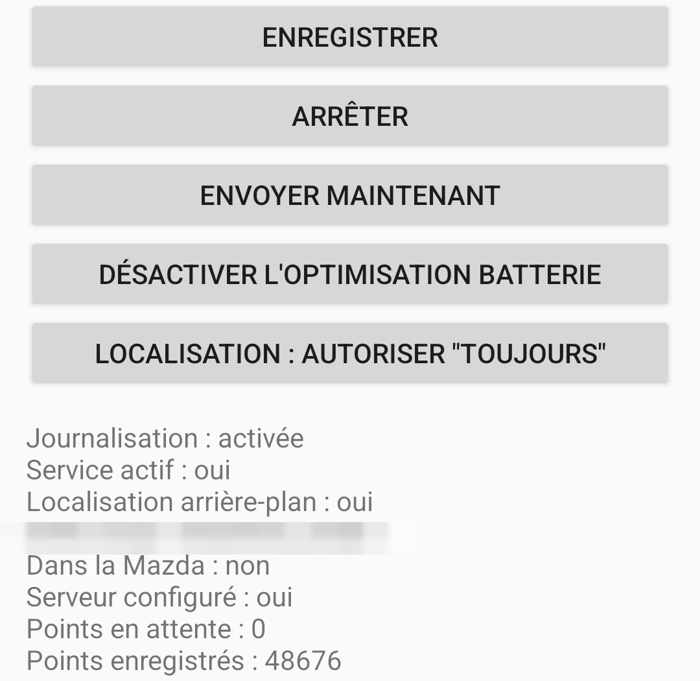
Google Find Hub tag in the car --> read every 5 min --> same API- A small aa-proxy companion plugin on the phone saves GPS points in a local SQLite queue, and sends them in batches. A batch is deleted only when the server answers OK. No network in the mountains? The queue just gets longer.
- On the server, a small API stores the points and pushes them to VictoriaMetrics. Every 15 minutes, another script cuts them into trips and commits a trip log to a git repository.
- For the position when the car is parked, a Google Find Hub tag. There is no official API, so a community tool (GoogleFindMyTools) decrypts its position.
Two PromQL traps found on the way, useful for any Grafana user:
max - minover 365 days on irregular manual readings gave half the real value (the oldest point in the window was only 6 months old).deriv()fits a line through the points and gives the right answer.deriv()returns a result with no labels. Multiply it by a series with a label (grade="SP95"), and PromQL finds no match and returns nothing. No error, just an empty panel. Fix:sum()on both sides.
A crash recorder for Android Auto
Sometimes Android Auto restarts while driving. To know why, the Pi needed a memory. A small shell script on the Pi:
- writes a small JSON line for each Pi boot (told apart with the kernel
boot_id), each Android Auto session event, and the Pi temperature - at boot, creates a marker file that only a clean shutdown removes: if the file is still there at the next boot, the last shutdown was not clean. Plus the watchdog boot status from sysfs. (This replaces pstore/ramoops, which needs a device tree change: not on an A/B device that lives in a car.)
- a busybox web server on the Pi’s Wi-Fi serves these lines, and the phone sends them to my server with the GPS points
It costs almost nothing (0.05 % of the CPU). And it already showed something: even with the latest aa-proxy-rs, the USB link to the car sometimes fails to start, 4 times in one day. Not solved yet.
Next: an OBD2 reader
All the data above comes from the phone. The car itself says nothing. So I ordered a Vgate iCar Pro 2S, a small Bluetooth OBD2 reader (ELM327 compatible), on eBay. The plan:
- real fuel consumption, from the engine air flow sensor (MAF):
fuel L/h = MAF × 3600 / (14.7 × 745)for petrol, instead of a guessed 5.8 L/100 km - real speed and odometer for Android Auto: aa-proxy-rs can send them to the phone, but only if it has a source
- live gauges in Android Auto with AATorque, already installed and waiting for a reader
- RPM, MAF and coolant temperature next to the GPS points in the trip log
The reader will talk to the phone, not to the Pi: the Pi’s only Bluetooth chip is busy with Android Auto. And read only: no writing to the car’s computer.
How AI was used
The long technical work was done with AI coding agents (Claude Code): the SD card test, the A/B boot repair, the certificate check, counting the 220 zeros in the logs, reading mitm.rs, and writing the phone plugin, the server and the crash recorder. My part: the Pi in the car, the drives, and saying « no, Waze is wrong, I am not parked ».
Note: I don’t have much time for the blog these days, so this post was written with the help of an AI, from my own notes, then read and corrected by me. Better to share the content this way than not at all.